Think about the last time you looked for a clinic, a restaurant, or a car service in Muscat. You probably typed it into Google, looked at the map, and called one of the first three names you saw.
Your customers do the same thing. If your business isn’t in those top three spots, most people will never find you.
The good news is that ranking on Google Maps in Oman isn’t magic. It mostly comes down to one free tool: your Google Business Profile. In this guide, I’ll show you how to set it up properly, what Google actually looks at, and the simple habits that move you up the map.
Why Google Maps matters so much in Oman
In Oman, people use Google Maps for more than directions. They use it to choose.
Addresses here can be hard to describe, so people search for the business name or the service, look at the pin, read a few reviews, and then call or send a WhatsApp message straight from the listing. Many of them never visit a website at all.
That means your Google Business Profile is often your first impression. Sometimes it’s your only one.
I’ve seen what this can do. One of my clients, Starcare, a medical center in Muscat with branches in Mabela and Al Hail, now shows up in the top three on Google Maps for “medical center in Mabela”. Google’s AI Overview also names Starcare for that search. You can read the full story in the Starcare case study.
How Google decides who ranks on Maps
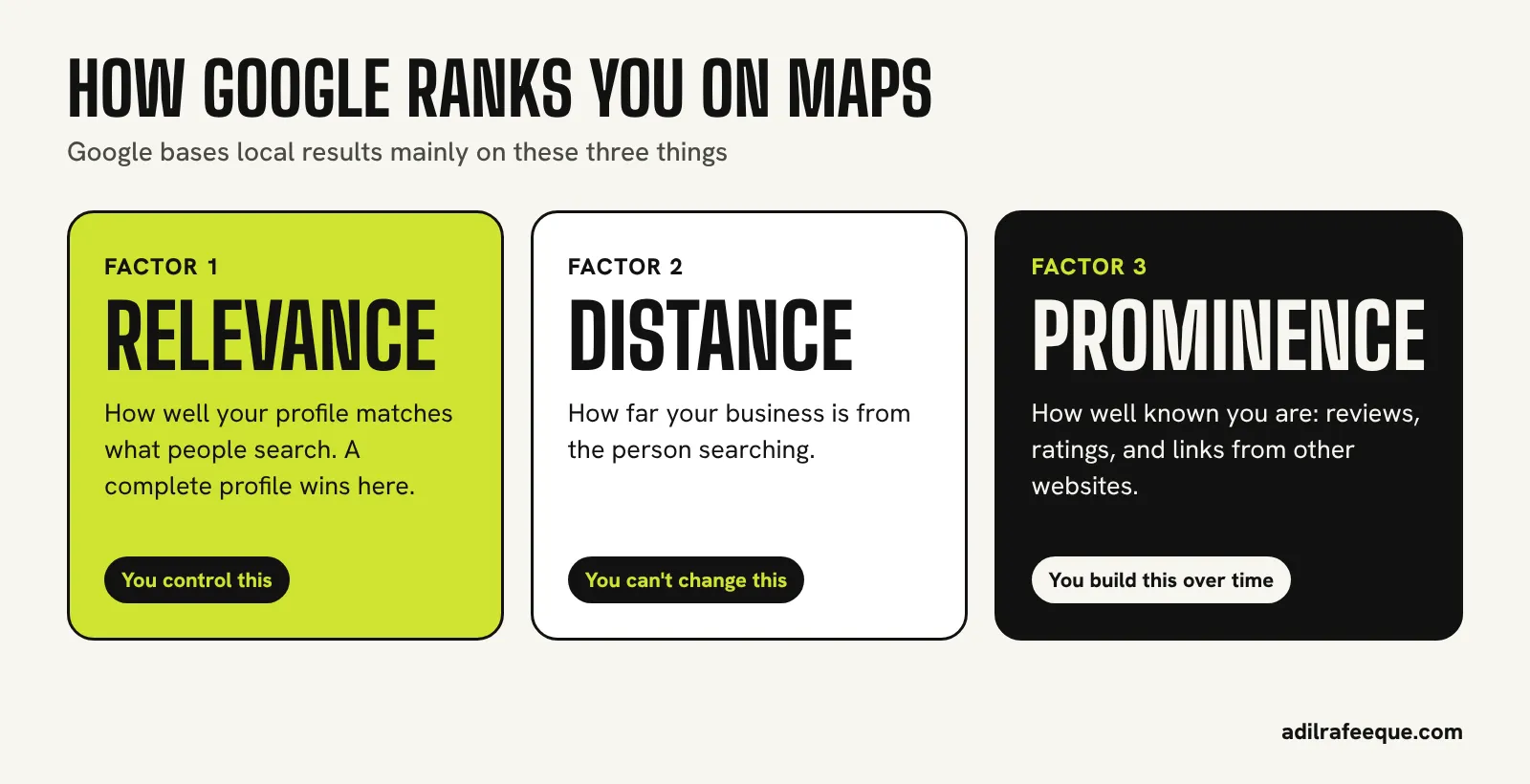
Google is quite open about this. Local results are based mainly on three things:
- Relevance: how well your profile matches what someone searched for. A complete, detailed profile helps Google make the match.
- Distance: how far your business is from the person searching. You can’t change this one, so focus on the other two.
- Prominence: how well known your business is. Reviews, ratings, and links from other websites all count here.
Google also says there is no way to pay for a better local ranking. Ads can show above the map, but the normal Maps results have to be earned.
So the plan is simple: make your profile as relevant as possible, and build your prominence over time.
Step 1: Claim and verify your profile
Search for your business on Google Maps. If it’s already there, claim it. If not, create a new profile at business.google.com.
Then verify it. Google may ask you to verify by video, phone, or email. Until your profile is verified, you have very little control over it, and Google is less likely to show it.
A small tip: add a second owner or manager, like a business partner or a trusted team member. If you ever lose access to your Google account, you won’t lose your profile with it.
Step 2: Get the basics exactly right
This sounds boring, but it’s where many businesses in Oman lose points.
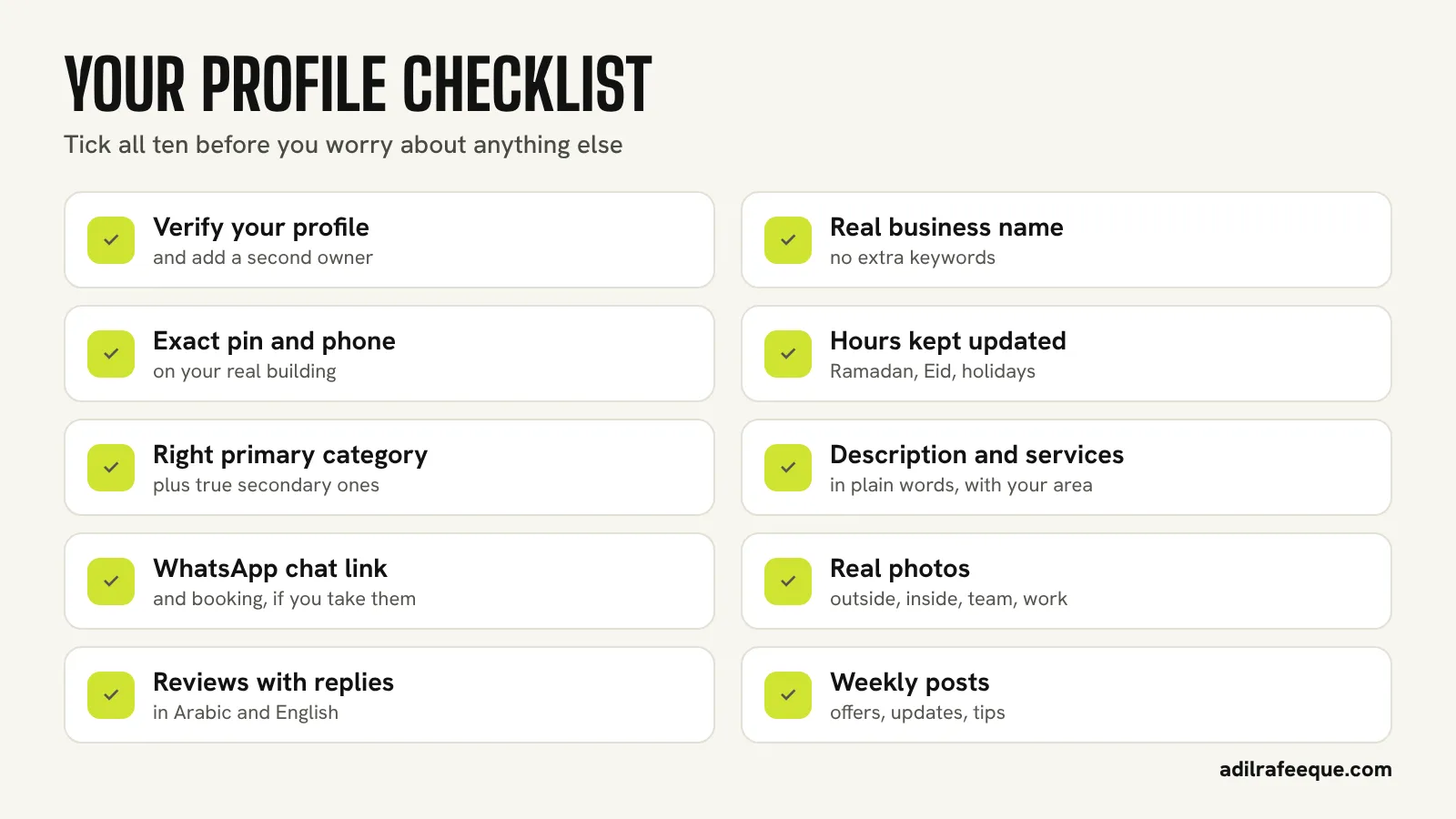
- Business name: use your real business name, the one on your signboard. Don’t add extra keywords like “Best Dental Clinic Muscat”. It breaks Google’s rules and can get your profile suspended.
- Address and pin: check that the pin sits exactly on your building. A wrong pin sends customers to the wrong street and makes them leave angry reviews.
- Phone number: use a number your team actually answers.
- Hours: keep them accurate, and update them for Ramadan, Eid, and public holidays. Few things frustrate a customer more than driving to a shop that is closed.
Step 3: Choose the right categories
Your primary category is one of the strongest signals you control. Pick the one that describes your main business as closely as possible, for example “Medical clinic” or “Car rental agency” rather than something general.
You can also add up to nine secondary categories for your other services. Only add the ones that are true. Adding unrelated categories won’t help, and it confuses customers.
Step 4: Fill in every section
A half-empty profile tells Google you’re not very active. Go through each section:
- Description: explain what you do, who you help, and where you’re based, in plain words. Mention your area naturally, for example “a family dental clinic in Al Khuwair”.
- Services or products: list each service with a short description. This gives Google more ways to match you with searches.
- Attributes: add details like parking, wheelchair access, or women-led business, where they’re true.
- Social links and website: link your website and your social profiles.
- WhatsApp: add a WhatsApp chat link. Most people in Oman would rather message than call. If you also run ads, my guide on click to WhatsApp ads shows how to turn those chats into leads.
- Booking: if you take appointments, connect online booking so people can book straight from Maps.
Step 5: Add real photos and videos
Photos help customers trust you before they visit. They also make your listing stand out next to competitors with empty profiles.
Add photos of:
- The outside of your building, so people can recognise it when they arrive
- The inside, the reception, and your work area
- Your team, if they’re comfortable with it
- Your products, your work, or finished projects
Use real photos, not stock images. Add new ones every month or so to keep the profile fresh.
Step 6: Build reviews the right way
Reviews are one of the biggest parts of prominence. They’re also what customers read before choosing you.
Here’s what works:
- Ask every happy customer. Most people are happy to leave a review if you ask at the right time, like right after a good visit.
- Make it easy. Share your review link on WhatsApp, or print a QR code for your counter.
- Reply to every review, good and bad. A calm, helpful reply to a bad review shows future customers that you care.
- Welcome reviews in Arabic and English. Your customers in Oman write in both, and that’s a good thing.
What not to do: never buy reviews or post fake ones. Google removes them, and it can suspend your profile. One honest review from a real customer is worth more than ten fake ones.
Step 7: Post updates regularly
Google Business Profile lets you publish short posts, like offers, events, and updates. Think of them as mini social media posts that appear right on your listing.
Try to post at least once a week. Share a seasonal offer, a new service, a short tip, or a photo from your work. Posts don’t need to be long. Being regular matters more.
Step 8: Support your profile with your website
Your profile and your website work together. A strong website makes your profile more relevant and more trusted.
- Make sure your business name, address, and phone number match exactly on your website and your profile.
- Create a clear page for each main service, and mention your area.
- Add LocalBusiness schema to your website. My guide on structured data and schema markup explains how.
- Get listed in trusted local directories and earn links from local websites. This helps prominence.
This is also how you start showing up in AI answers. Google’s AI Overviews and tools like ChatGPT lean on the same signals, like reviews, mentions, and clear information. If that interests you, read my guide on how to optimize for Google AI Overviews.
Common mistakes I see in Oman
- Two or three duplicate profiles for the same business
- A pin dropped in the wrong place
- Keywords stuffed into the business name
- Hours not updated for Ramadan or public holidays
- Reviews with no replies, especially the negative ones
- No photos, or only the logo
- Nobody checking the profile for months
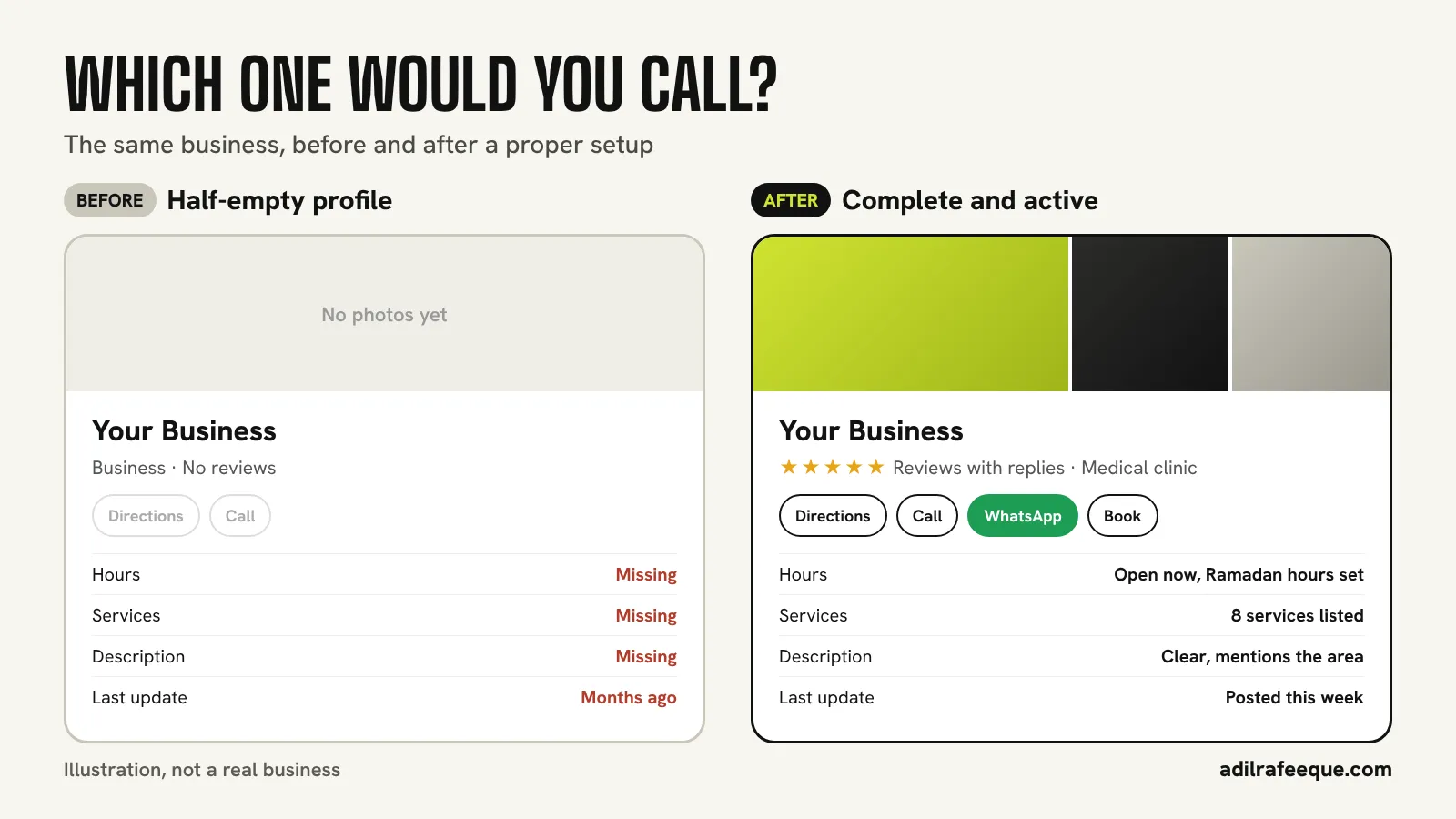
Fixing just these can make a real difference.
How long does it take to rank on Google Maps?
It depends on your area, your competitors, and where you’re starting from. A fully set up profile can start getting more views within a few weeks. Moving into the top three for a competitive search usually takes a few months of steady work on reviews, posts, and your website.
If you want a more detailed answer, my post on how long SEO takes covers what to expect.
FAQ
Is Google Business Profile free?
Yes. Creating and managing your profile is completely free. You only pay if you choose to run Google Ads.
Can I pay Google to rank higher on Maps?
No. Google says there’s no way to pay for a better local ranking. You can run ads that appear above the map, but the normal Maps results are earned.
Can I rank in an area where I don’t have an office?
Distance matters, so it’s hard to rank in an area far from your address. If you serve customers at their location, like home nursing or AC repair, you can set service areas and hide your address.
Should I add keywords to my business name?
No. Use your real business name. Adding keywords breaks Google’s guidelines and can get your profile suspended.
Do reviews in Arabic count?
Yes. Reviews in any language count. Reviews in both Arabic and English show that real local customers trust you.
Conclusion
Ranking on Google Maps in Oman isn’t about tricks. It’s about being complete, accurate, and active. Verify your profile, get the basics right, choose the right category, add real photos, ask for reviews, post regularly, and back it all up with a good website.
Do this consistently, and you give Google every reason to put you in front of the people searching for you.
If you’d like help getting your business into the local top three, take a look at my SEO services in Oman or send me a message. I usually reply within a day.