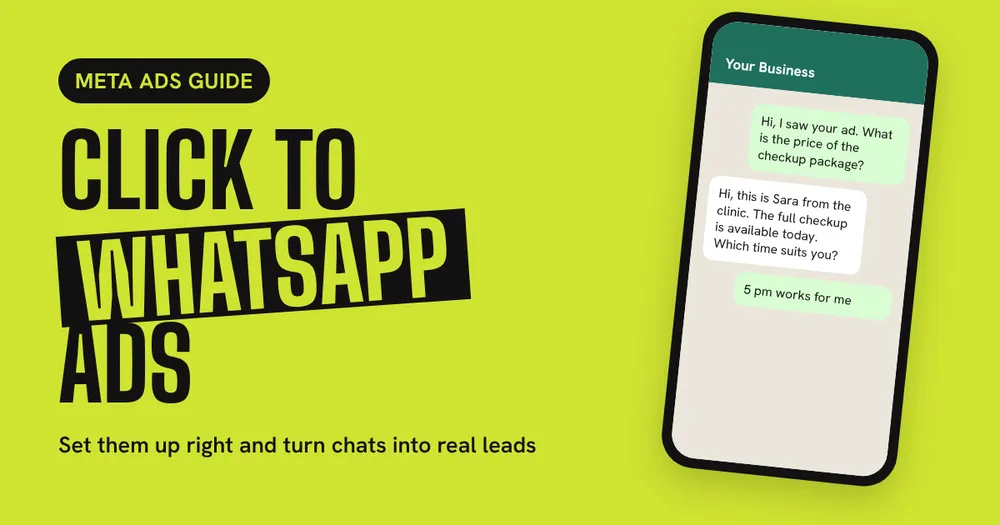
Most people in Oman and the Gulf would rather send a quick WhatsApp message than fill in a long form. That is exactly why click to WhatsApp ads work so well here. Someone sees your ad on Instagram or Facebook, taps one button, and they are already chatting with you.
I run Meta Ads lead generation every week, and WhatsApp campaigns are a big part of that work. In this guide I will explain what click to WhatsApp ads are, how to set them up step by step, and the small things that decide whether a chat turns into a paying customer or goes quiet.
What are click to WhatsApp ads?
Click to WhatsApp ads are Facebook and Instagram ads with a “Send WhatsApp message” button. When someone taps it, WhatsApp opens with a chat to your business, often with a short message already typed for them.
There is no landing page and no form. The ad leads straight to a conversation.
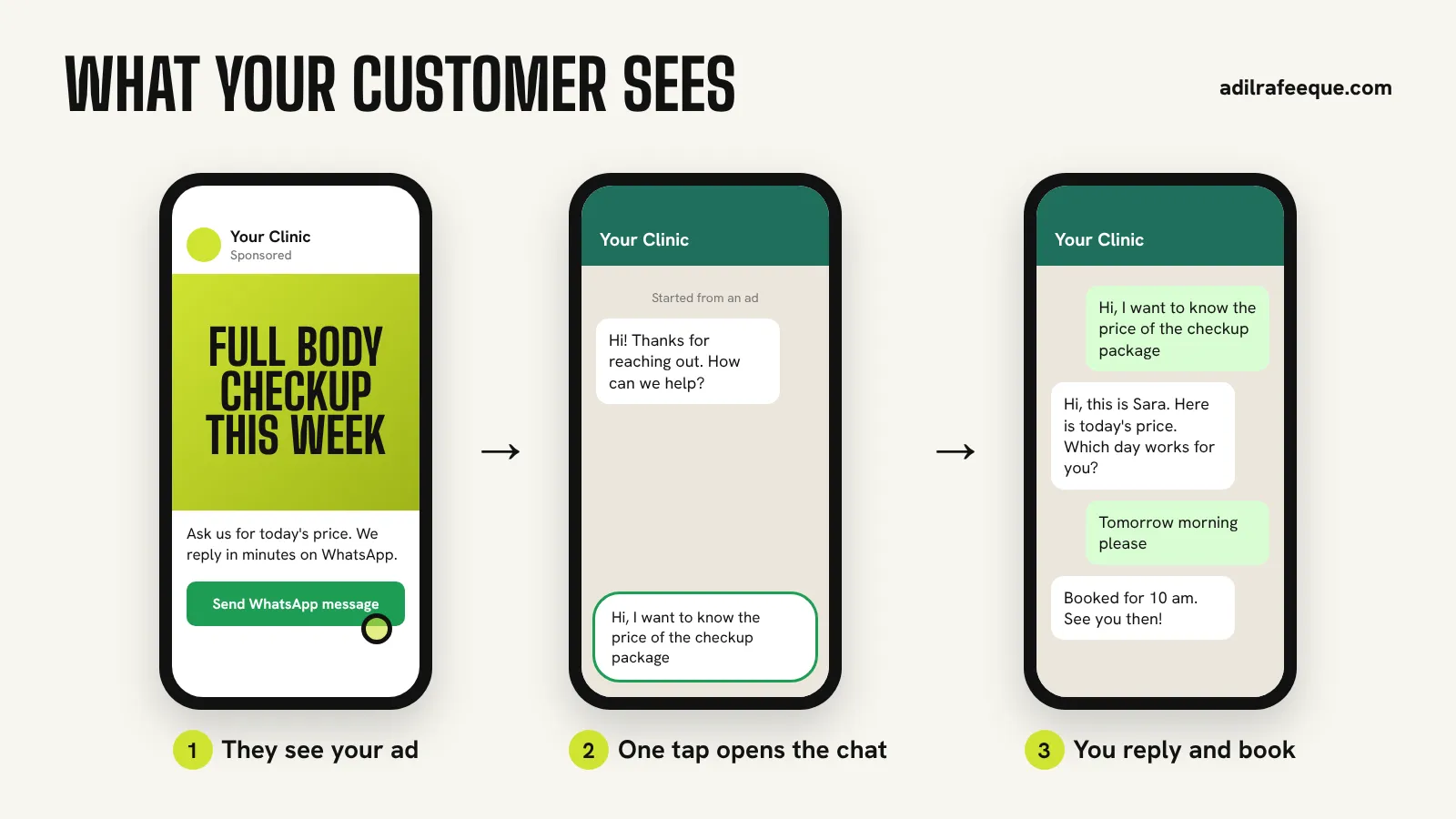
According to Meta, these ads can show in the Facebook and Instagram feeds, Stories, and Facebook Marketplace. You can create them in Meta Ads Manager or right inside the WhatsApp Business app.
Why they work so well in Oman and the Gulf
WhatsApp is how people talk here. Customers use it to book appointments, ask for prices, and check if something is in stock. So an ad that opens WhatsApp feels natural, not like a sales trap.
A few reasons I like them for local businesses:
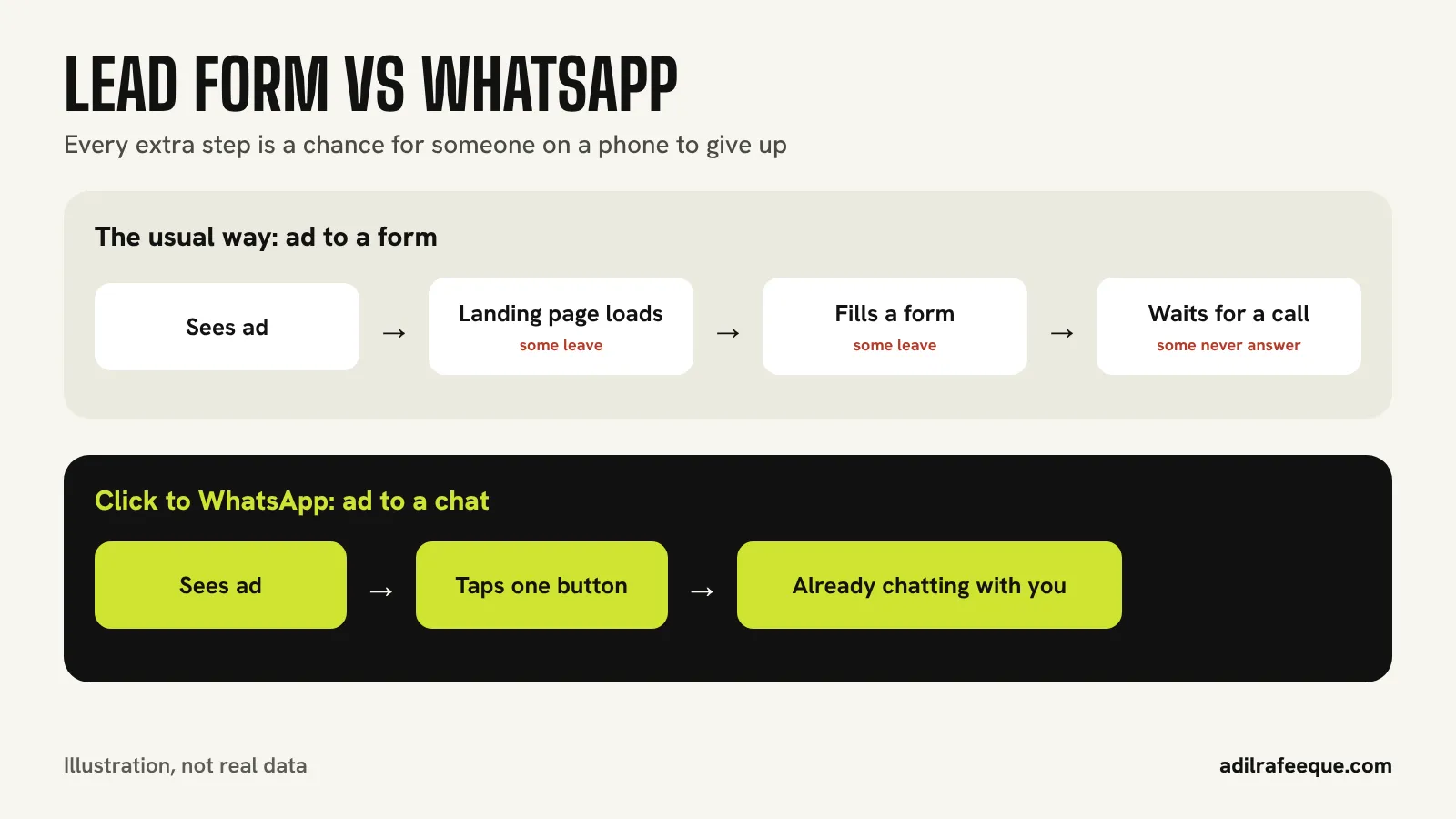
- Less friction. One tap starts the chat. Forms and slow landing pages lose people on a phone.
- Real contact details. Every lead comes with a working phone number, because WhatsApp needs one.
- A personal touch. People can ask their question in their own words, in English or Arabic, and get a human reply.
- Lower messaging costs. When a chat starts from one of these ads, Meta does not charge the usual WhatsApp messaging fee for the first 72 hours (this matters if you use the WhatsApp Business Platform).
They are a great fit for clinics, real estate, training institutes, car rentals, salons, restaurants, and any service where people want to ask a question before they buy.
What you need before you start
Most setup problems happen before you even open Ads Manager. Check these first:
- A WhatsApp Business account. Use the WhatsApp Business app for a small team, or the WhatsApp Business Platform if you want automation and a shared inbox.
- A Facebook Page for your business.
- The Page connected to WhatsApp. On your Page, go to Settings, then WhatsApp, and verify your number with the code Meta sends.
- Everything in one Business Manager. Your Page, ad account, and WhatsApp account should all sit under the same Meta Business portfolio. When they are split across different ones, WhatsApp often does not show up as an option.
- A complete business profile. Add your name, logo, hours, location, and a short description. People check this before they reply.
How to set up a click to WhatsApp ad in Meta Ads Manager
Here is the simple version of the setup I use.
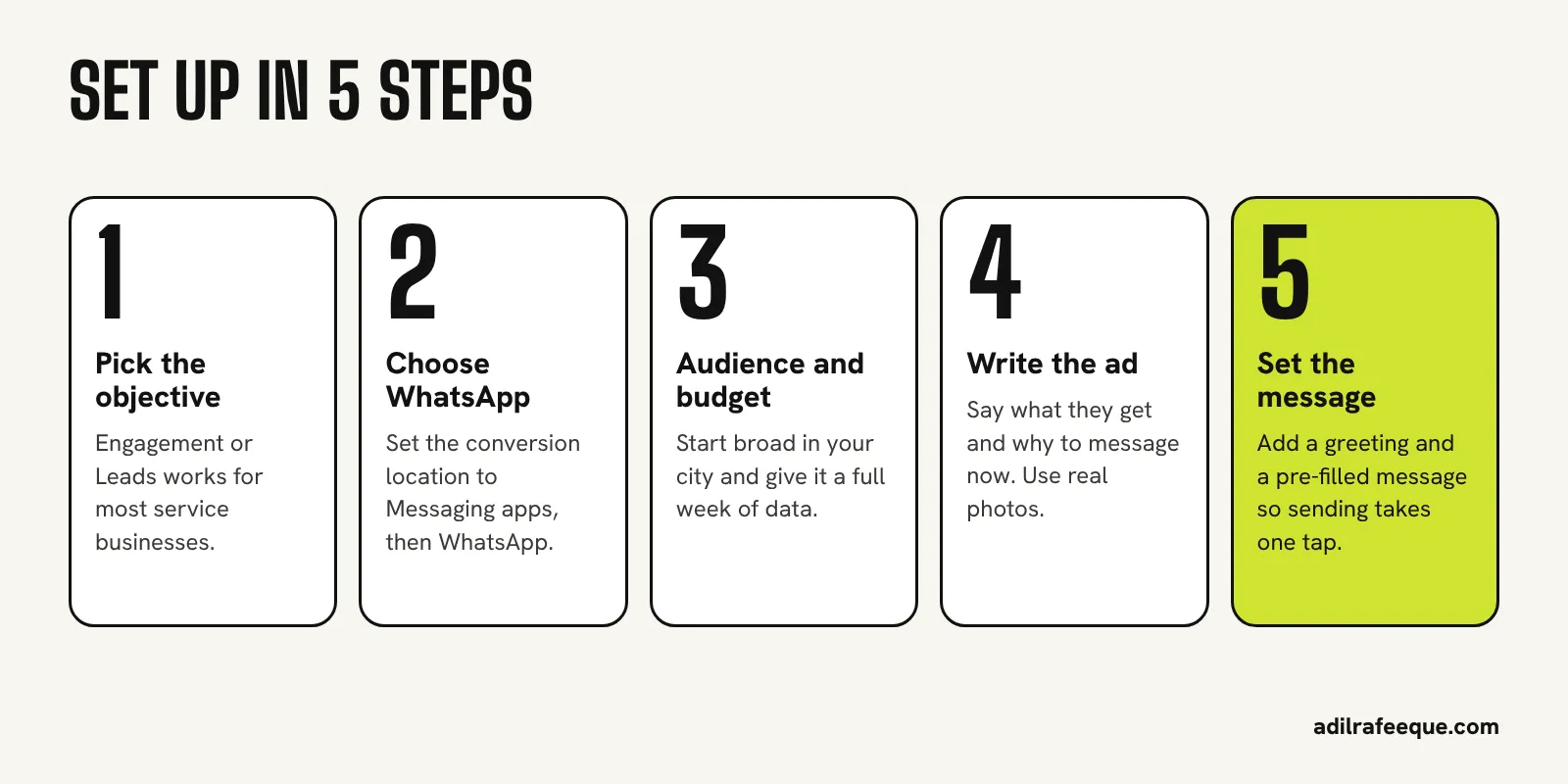
Step 1: Pick your campaign objective
Meta lets you send people to WhatsApp from a few objectives, including Engagement, Leads, Traffic, and Sales. For most service businesses that want enquiries, I start with Engagement or Leads, and choose messaging as the place where the conversion happens.
Step 2: Choose WhatsApp as the destination
At the ad set level, set the conversion location to Messaging apps and pick WhatsApp. Double check that the number shown is the one your team actually answers.
Step 3: Set your audience and budget
Start with your location (for example, Muscat or all of Oman), a sensible age range, and broad interests. Meta’s targeting has become good at finding people who are likely to message. Give each ad set enough budget to get real data for a week before you judge it.
Step 4: Write the ad
Keep it clear and specific. Tell people what they get and why they should message now. For example:
- “Ask us for today’s price on a full body checkup. Reply in minutes on WhatsApp.”
- “Looking for a 2 bedroom flat in Al Khoud? Message us and we will send options that fit your budget.”
Use a real photo or a short video of your business when you can. Stock photos usually perform worse.
Step 5: Set the message template
This is the part most people skip. In the ad, you can set a greeting from your business and a pre-filled message for the customer. A good pre-filled message like “Hi, I want to know the price of the checkup package” tells your team exactly what the person saw, and makes it easy for them to hit send.
You can also add a few quick question buttons, so people can start with one tap.
The first reply decides everything
The ad gets the chat started. Your reply decides if it becomes a lead.
From what I have seen running these campaigns, most lost leads are not an ad problem. They are a reply problem. Someone messages at 9 pm, nobody answers until the next afternoon, and by then they have already booked with someone else.
A few simple rules help a lot:
- Reply fast. Aim for minutes, not hours. Set an auto reply for after hours that says when you will get back to them.
- Answer the question they asked. If they asked for a price, give the price or a clear range first.
- Ask one easy question back. “Which date works for you?” keeps the chat moving.
- Use quick replies in WhatsApp Business for common answers like location, timings, and prices.
- Name a real person. “Hi, this is Sara from the clinic” feels much warmer than a robotic message.
How to track results properly
By default, Ads Manager shows you messaging conversations started. That tells you how many chats began. It does not tell you how many became customers.
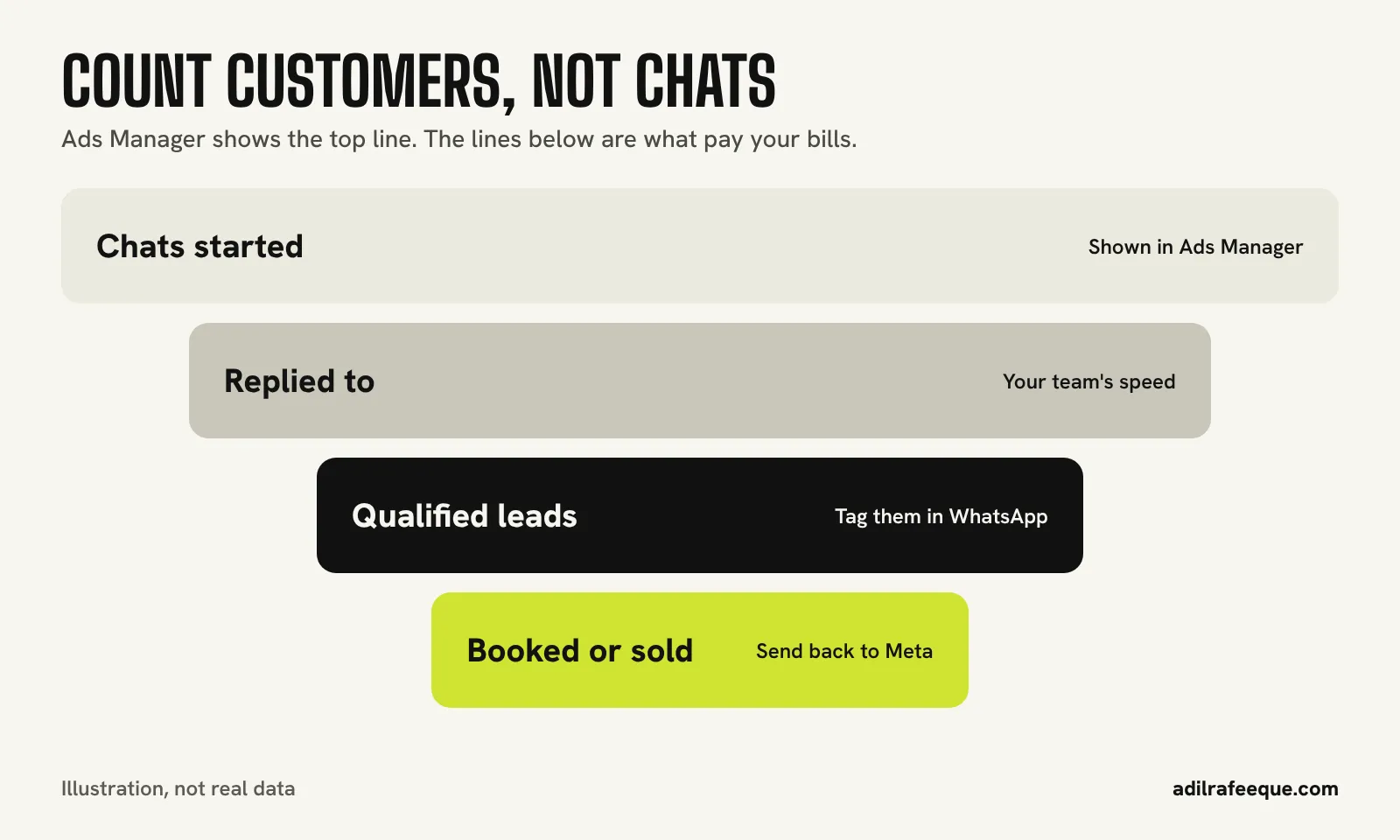
To see the full picture:
- Tag your chats. Use labels in WhatsApp Business, such as “New lead”, “Booked”, and “Not interested”.
- Count the real outcomes every week. Compare booked appointments or sales against what you spent.
- Send conversions back to Meta. With the Conversions API for business messaging, you can tell Meta which chats turned into leads or purchases. Meta then learns to find more people like them. This usually needs the WhatsApp Business Platform or a partner tool.
Ads without tracking are guesswork. On my Meta Ads service, tracking is always the first thing I set up, before spending anything on scaling.
Common mistakes to avoid
- Judging the campaign by cost per chat alone. Cheap chats that never book are not a win. Look at cost per real lead.
- Sending ads to a number nobody watches. It sounds obvious, but it happens all the time.
- One ad, forever. Test two or three versions of the image and the first line, and keep the winner.
- Targeting too narrowly. Very small audiences get expensive fast. Start broad and let Meta learn.
- No follow up. Many people ask a question and go quiet. A friendly follow up the next day often brings them back.
When to use WhatsApp ads, and when not to
Click to WhatsApp ads are best when people want to talk before they buy. If you sell simple products online with clear prices, a normal sales campaign to your website might be cheaper, because buyers can just check out.
They also work best when you have the team to handle the chats. If no one can reply quickly, a lead form might be a better start. And ads are only one part of the picture. If you want to compare paid ads with long term organic growth, my guide on SEO vs PPC explains how the two work together. For the content side, see social media marketing for small businesses.
FAQ
How much do click to WhatsApp ads cost?
You set your own budget in Meta Ads Manager, and you pay for the ad, not for each chat. Costs change a lot by industry, city, and how good your ad is, so the best way to know is to run a small test for a week or two and look at your cost per real lead.
Can I run click to WhatsApp ads from the WhatsApp Business app?
Yes. The WhatsApp Business app has an advertise option that creates a simple ad for you. It is a good way to start. For better targeting, testing, and tracking, use Meta Ads Manager.
Do I need the WhatsApp Business Platform (API)?
No. The free WhatsApp Business app is enough for a small team. The platform is worth it when you get many chats a day, want chatbots or a shared inbox, or want to send conversions back to Meta.
Are click to WhatsApp ads better than lead forms?
They are different. Lead forms collect details fast, but many people never answer when you call back. WhatsApp chats usually start warmer, because the person reached out first. Many businesses get the best results by testing both.
Can these ads show on Instagram too?
Yes. Click to WhatsApp ads can run on both Facebook and Instagram, including feeds and Stories.
Conclusion
Click to WhatsApp ads meet people where they already are. For businesses in Oman and the Gulf, that is a big advantage. Set up your accounts properly, write a clear ad with a helpful pre-filled message, reply fast, and track real leads instead of just chats.
I have helped generate 10k+ leads for clients across healthcare, education, software, and local brands, and WhatsApp campaigns are one of my favourite tools for it. If you want help setting up click to WhatsApp ads that bring real enquiries, send me a message or tap the WhatsApp button on this page. I usually reply within a day.